TMMR Release Notes
Update 1.8
October 2026
Hey, thank you for being part of the team here at TMMR. Update 1.8 is about multi-day trips. A tour can now run over several days, and each day gets its own pickup time, itinerary, inspection, and post-tour form. We also updated the itinerary your guests see, reworked the Overview, and gave drivers their own workspace for each tour. Five bugs are fixed. Thank you for the feedback that got us here.
Multi-day trips
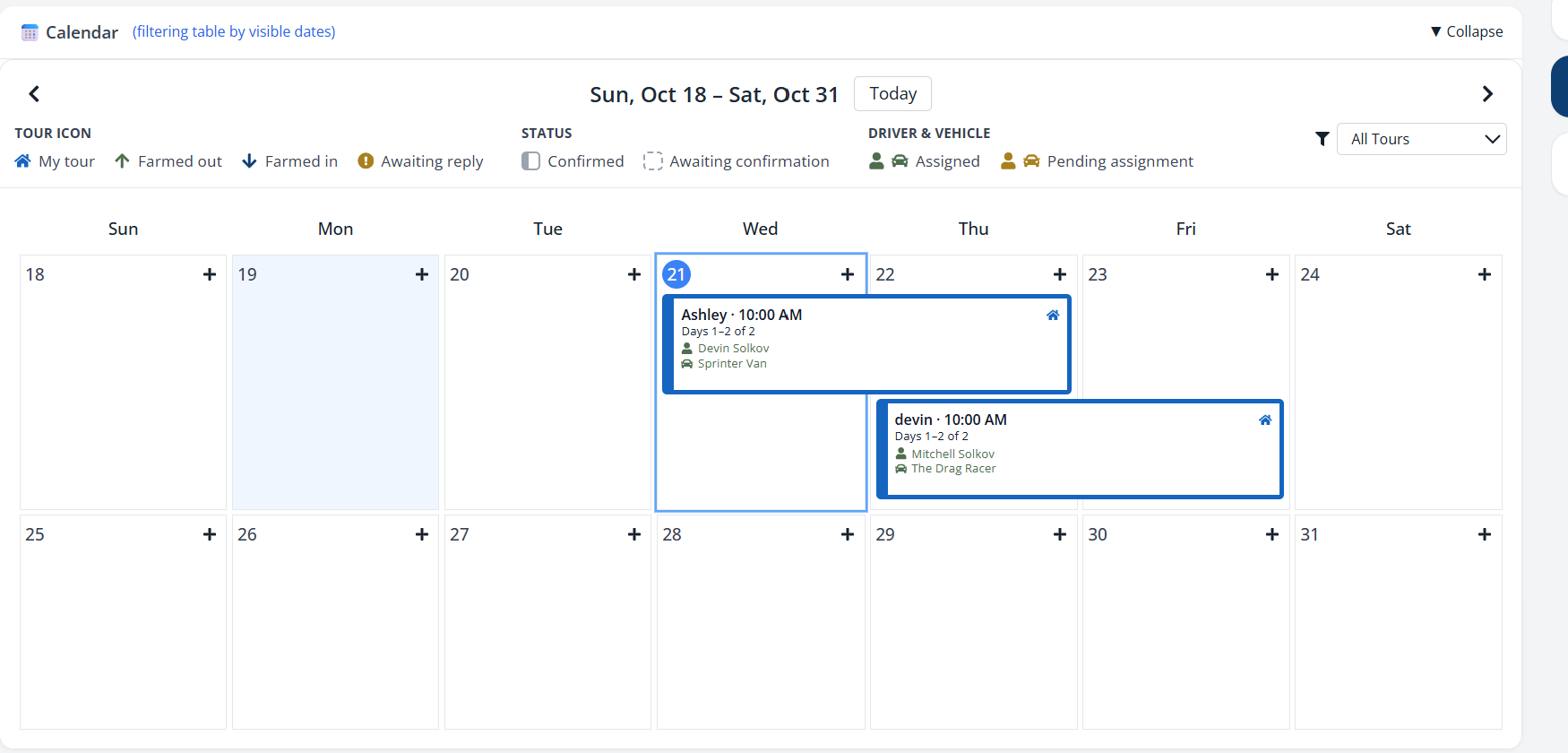
We added multi-day trips: one booking that covers every day of the trip.
- Turn on Multi-day on the booking form and pick an End Date.
- The calendar shows the booking as one bar, labeled like "Days 1-2 of 2".
- Each day has its own pickup time.
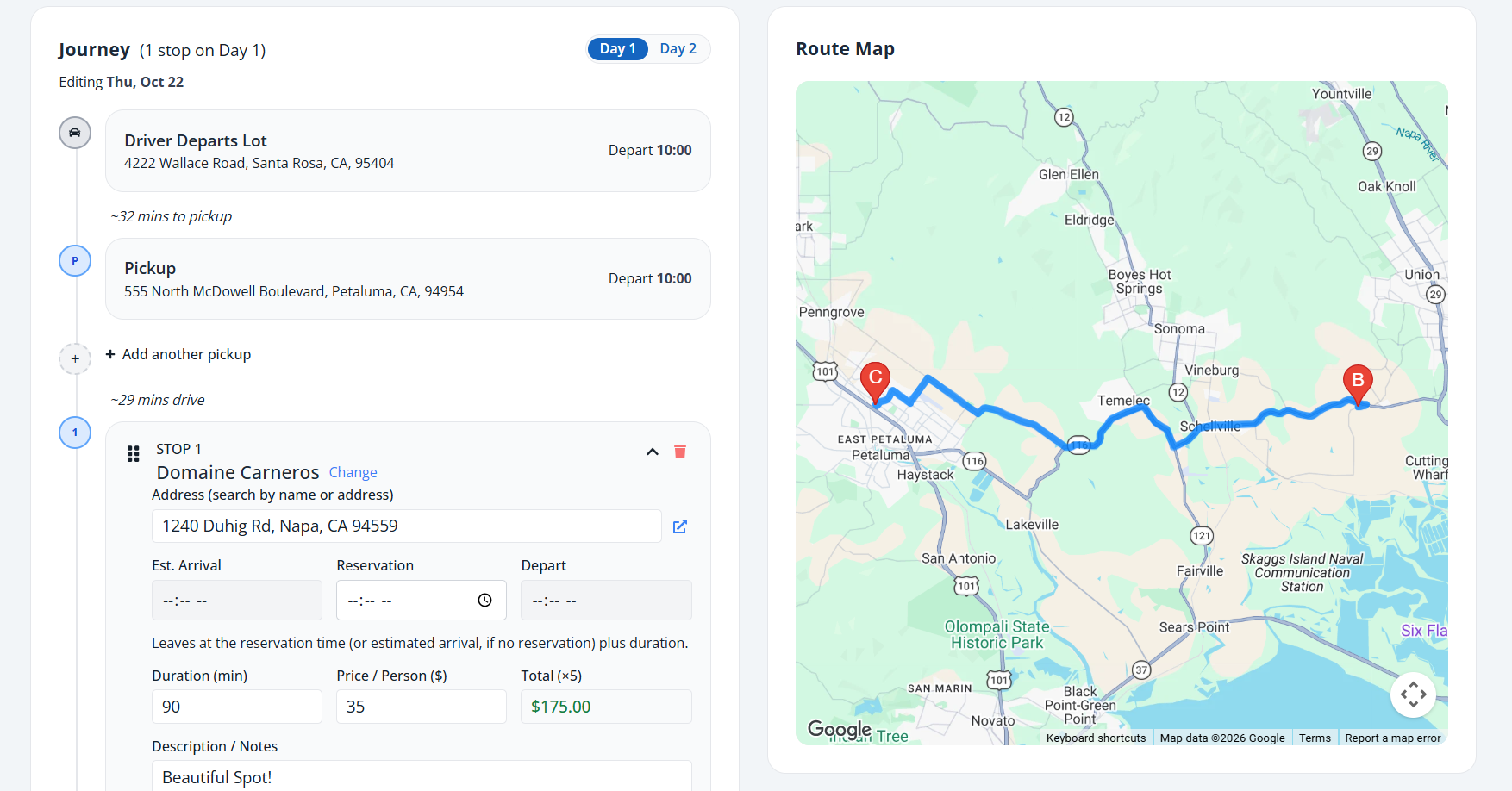
- If the guests change hotels, each day has its own pickup and drop-off.
- The Itinerary Builder has a tab for each day.
Day Reports
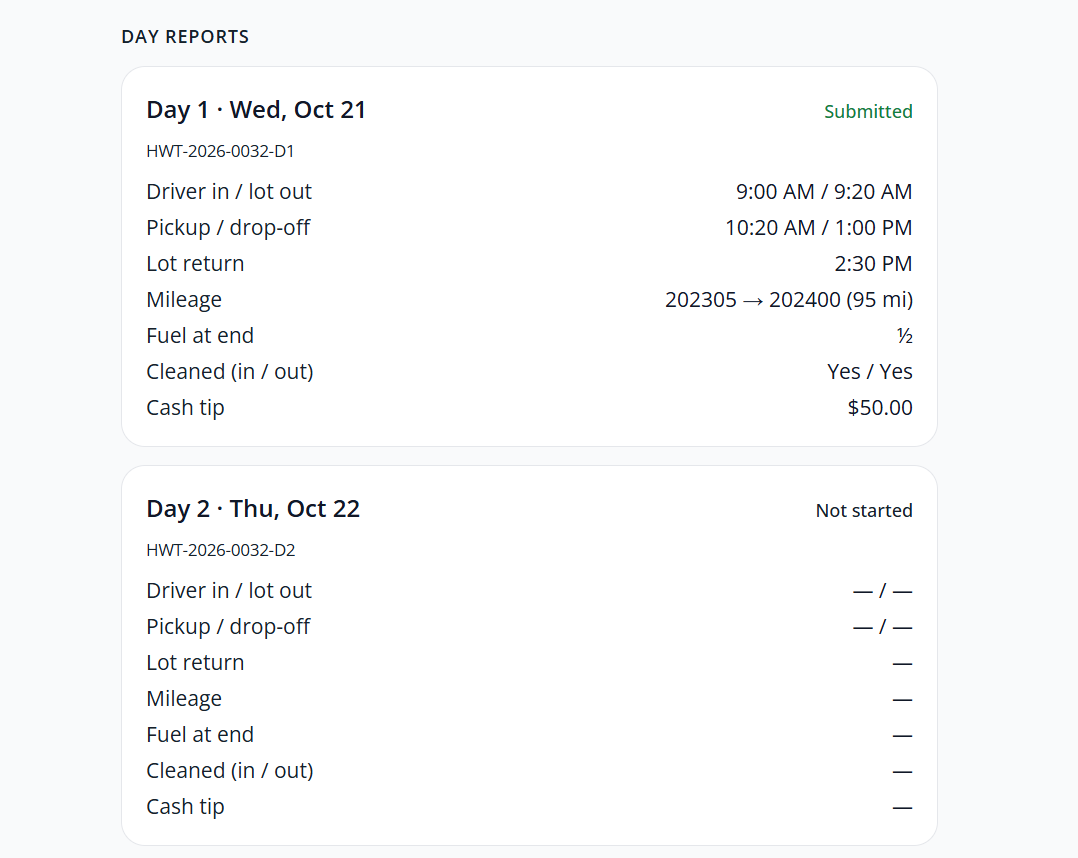
We added a separate driver report for each day of a multi-day tour.
- The driver runs Day 1 start to finish: inspection, route, post-tour form, then Complete Day 1.
- Day 2 starts with a new inspection.
- Day Reports shows each day's times, mileage, fuel, cleaning, and cash tip separately.
Pay and scheduling
Pay and assignments now follow each day of the trip.
- Pay stubs. Each day counts as its own shift, so hours and overtime are figured per day.
- Drivers. You can't assign a driver who is already on another tour on any of those days. The message names the tour.
- Vehicles. The picker warns you when a vehicle is already on another tour during those days.
Itinerary updates
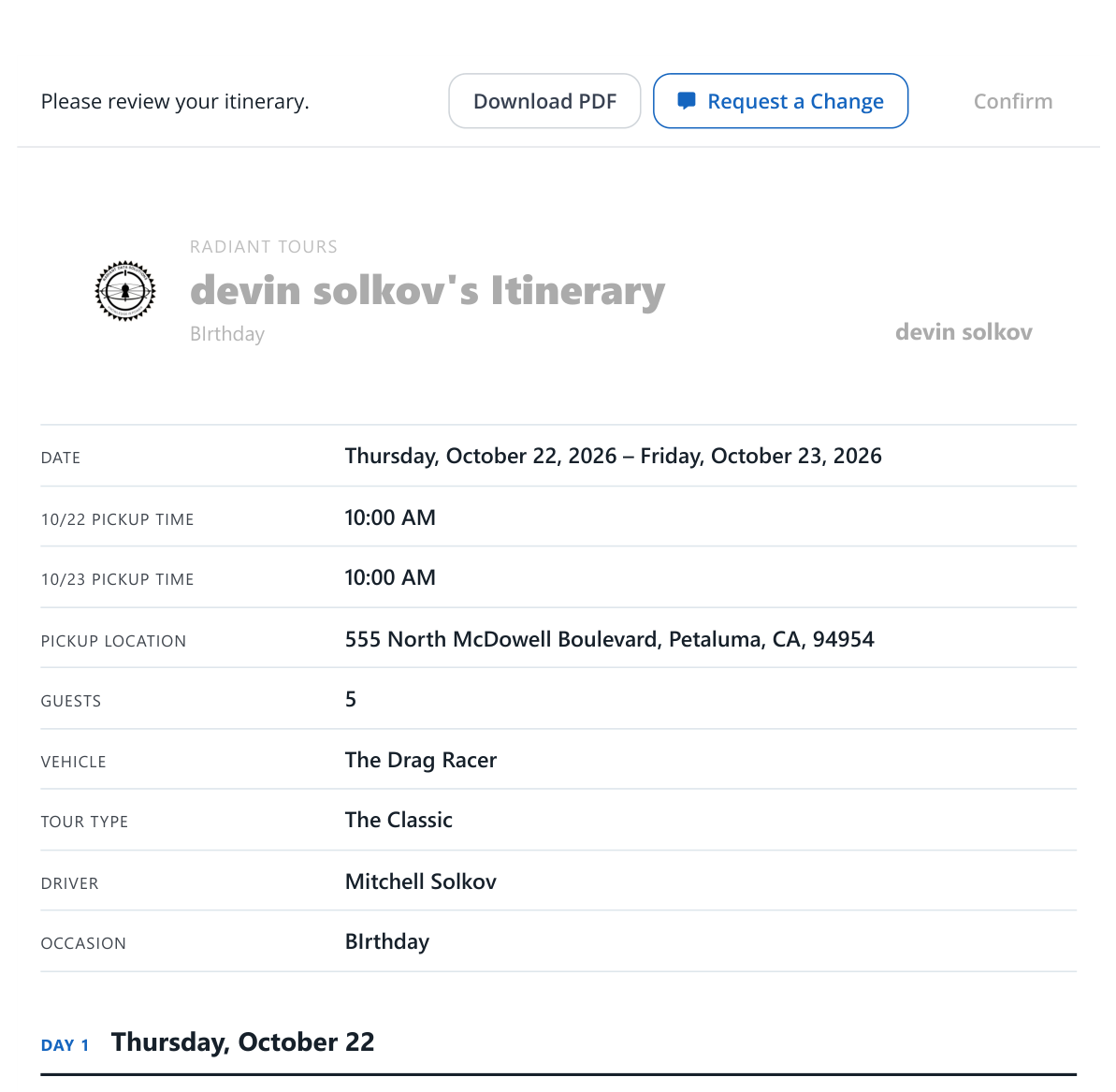
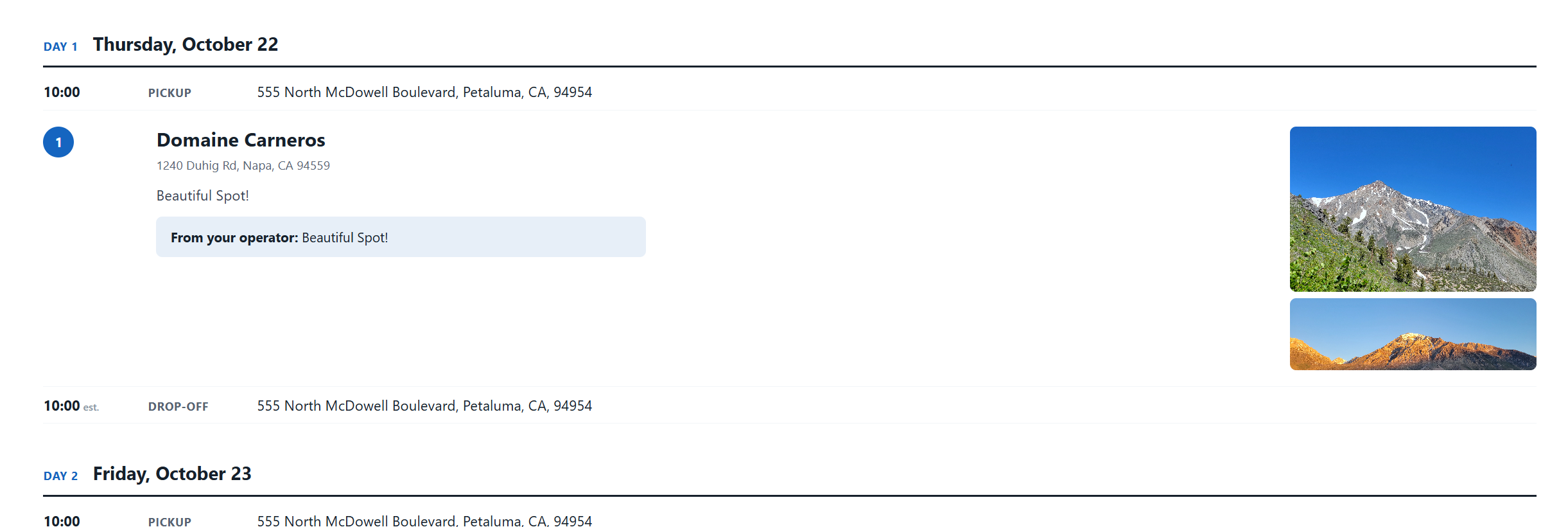
We updated the itinerary your guests see.
- Each day is laid out in order: pickup, stops, drop-off.
- The guest's page, the PDF attached to the review and approval emails, and the Itinerary Builder preview use the same layout.
- The guest page is full width.
- Download PDF, Request a change, and Confirm sit in a bar at the top.
- If the PDF can't be made, the email still goes out.
Venue photos
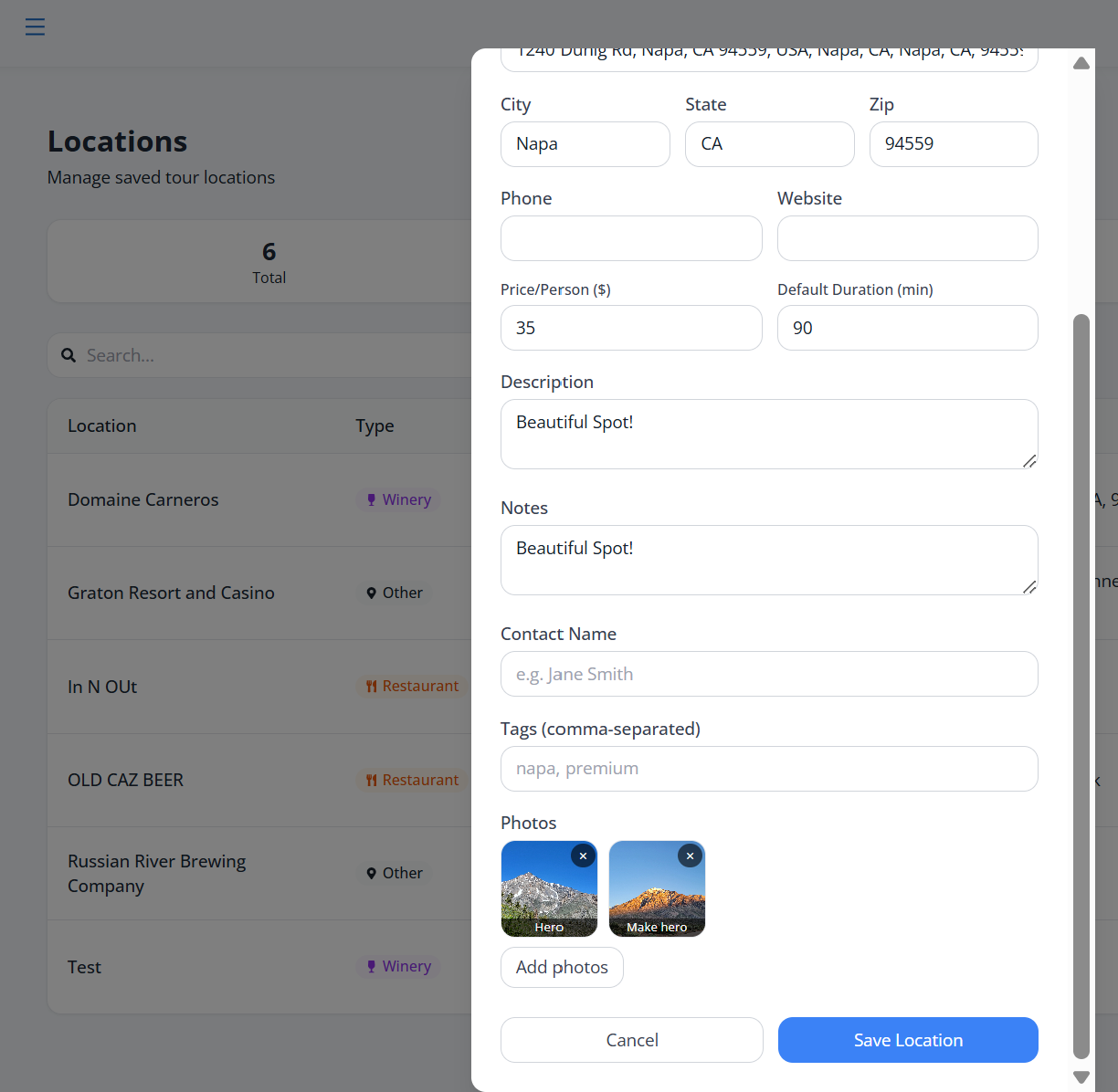
We added photos to venues, and they show on the itinerary.
- Add up to six photos to a venue on the Locations page.
- The first photo leads. Click Make hero on another to move it to the front.
- The photos, website, and phone number show on the itinerary.
A clearer Overview
We added four progress steps to every booking.
- Guest confirmed
- Itinerary confirmed
- Tour
- Wrapped up
- Each step moves on its own.
- Saving a booking doesn't move it back a step; only resending to the guest does.
- Click Details, or double-click the row, to open the booking workspace.
- The payment column is now Card on file, and it only shows when Stripe is connected.

Updates panel
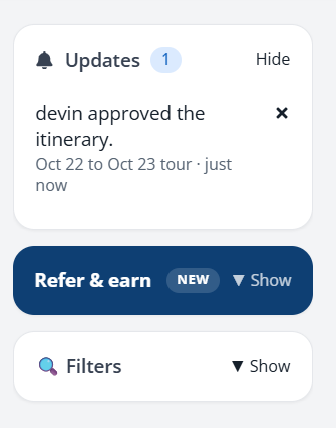
We added an Updates panel for guest replies.
- It lists tours where a guest confirmed, replied, or sent feedback.
- Click an update to open that booking.
- Dismiss one with the X, or use Dismiss all.
A workspace for the driver
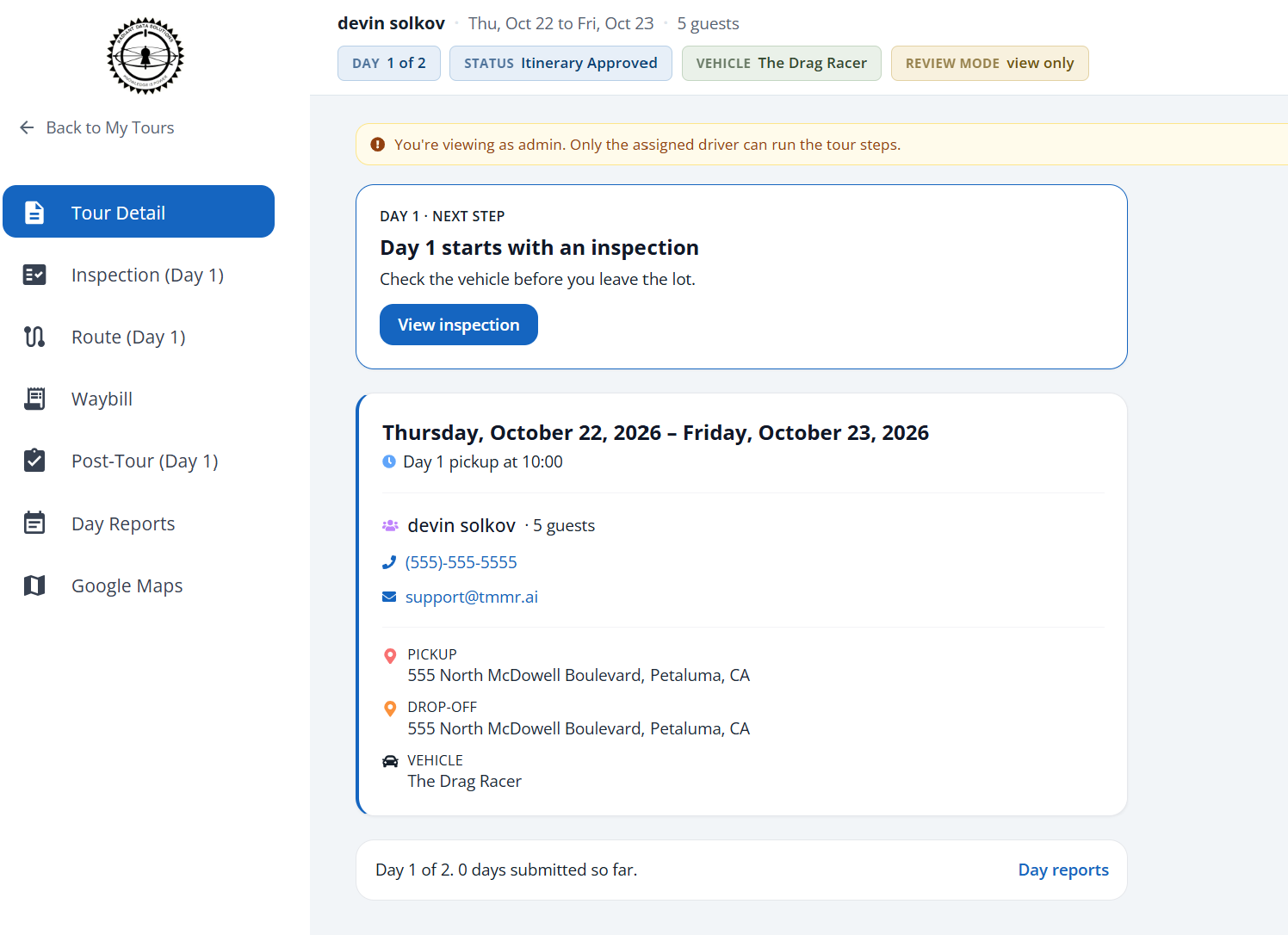
We added a workspace for each tour a driver is assigned.
- The driver opens a tour from My Tours.
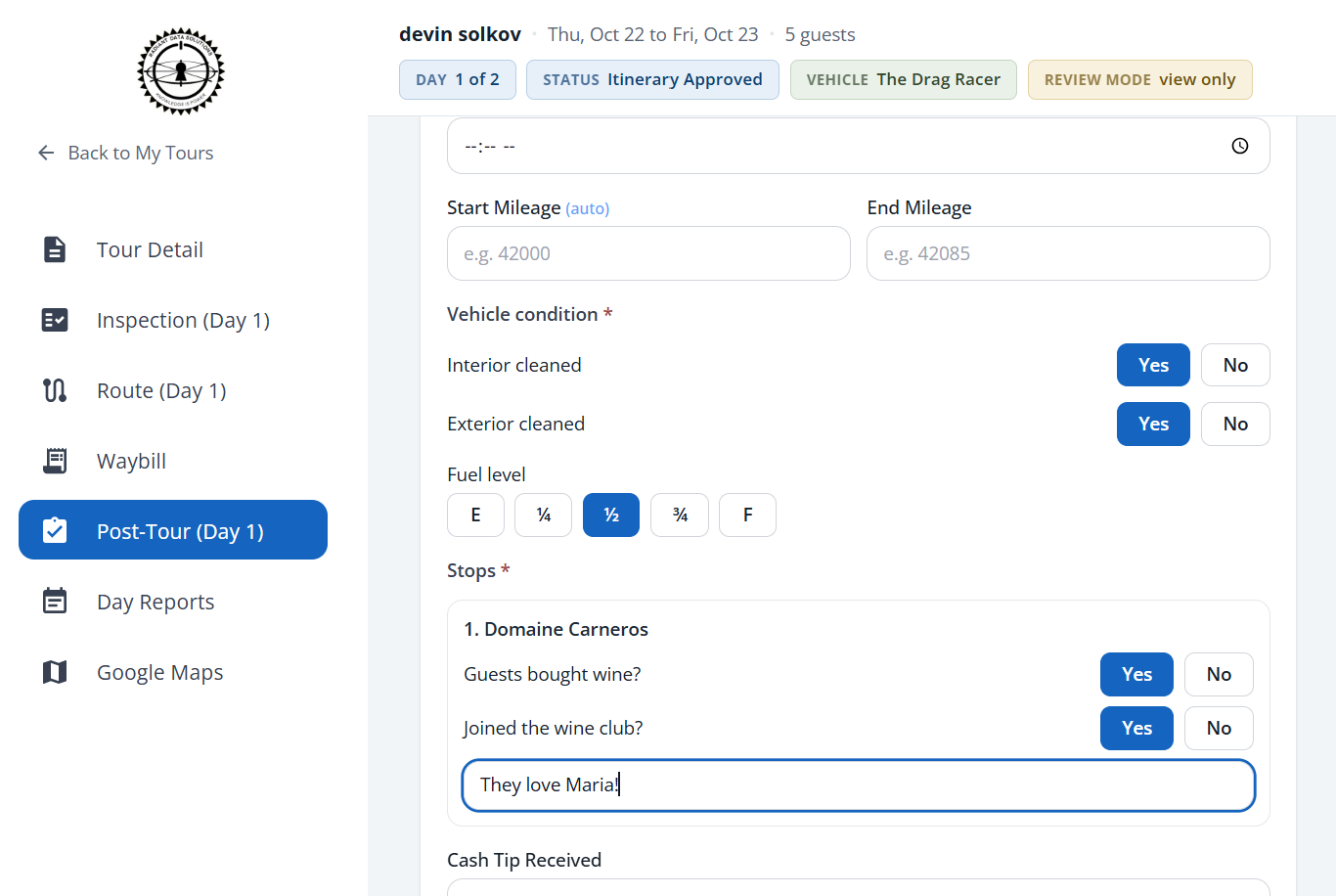
- The menu has Tour Detail, Inspection, Route, Waybill, Post-Tour, and Day Reports.
- Google Maps opens the day's route in a new tab.
- Tour Detail starts with a Next step card that says what to do now.
- Checkmarks show what is finished. Nothing is locked.
- On a multi-day tour the header shows the current day, like "Day 1 of 2".
- The driver's week view draws a multi-day tour as one bar, like the calendar.
- On a phone the menu moves to a bar along the bottom.
- An admin who isn't the assigned driver sees the same pages, view only.
Inspections
Every inspection item you turn on is now required.
- There is no separate Required switch on inspection items.
- The driver must mark each item OK or Fail before finishing.
- The N/A button is gone.
- A failed item that needs a photo still needs one.
Post-tour form
We added required questions to the post-tour form.
For the vehicle:
- Interior cleaned
- Exterior cleaned
- Fuel level
For each stop:
- Guests bought wine?
- Joined the wine club?
- Notes
What happens to the answers:
- They show up as a Driver Report in office review.
- They stay with the tour if you hand it to a partner.
- If the save fails, the tour no longer moves forward as if it worked.
Your logo and a theme
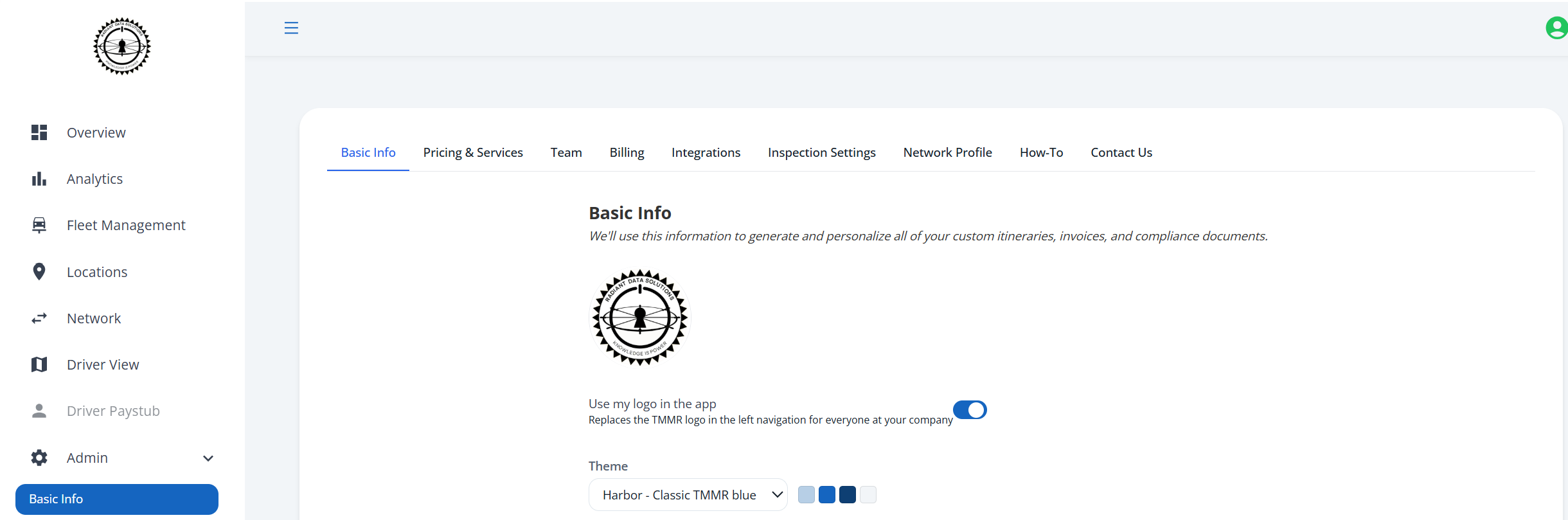
You can now swap the TMMR logo for your own.
- In Admin → Basic Info, turn on Use my logo in the app.
- Your logo replaces the TMMR logo in the left navigation for everyone at your company.
- The Theme menu sets the accent colors.
- Harbor: classic TMMR blue
- Slate: muted blue-grey
- Ink: deep navy
- This is the groundwork for Apple CarPlay, coming soon.
- Your brand on the dash gives the inside of your rigs a luxury feel.
- You'll be able to send updates to your guests straight from it, in what looks like a custom app made for your company.
- Stay tuned for TMMR 2.0.
Fixes
Five bugs.
| Where | What was wrong, and what changed |
|---|---|
| Itinerary | Each save added the city, state, and zip to a stop's street address again, so the address repeated. Addresses stay clean now, and ones that already repeated show once. |
| Itinerary | Export itinerary data (PDF) failed with an error. It now downloads the itinerary. |
| Overview | Saving a confirmed booking or an approved itinerary moved it back a step. Saving no longer changes progress; only resending to the guest does. |
| Guest summaries | The confirmation page showed only one pickup time on a multi-day tour, and the page, emails, and itinerary listed their fields in different orders. Each one now lists the same fields in the same order: date, pickup times, pickup locations, guests, vehicle, then the rest. |
| Booking form | The Secure Card Capture box implied the form collected the guest's card. It's gone. The Card on file chip appears once a card is saved. |
Send us feedback
If something in your day is still harder than it should be, tell us.
Send us feedback Schedule a demo View the release archive