Tour reporting analytics that show exactly how every tour, driver, and route performs. Tour Management Made Right generates automated reports on revenue, mileage, tips, and profitability so you can make decisions based on real numbers instead of gut feeling.
Every completed tour generates a report automatically. Driver hours, guest count, mileage, revenue, and tips are all captured without anyone filling out a form.
Reports are ready the moment the tour ends. No waiting for drivers to submit paperwork at the end of the week.
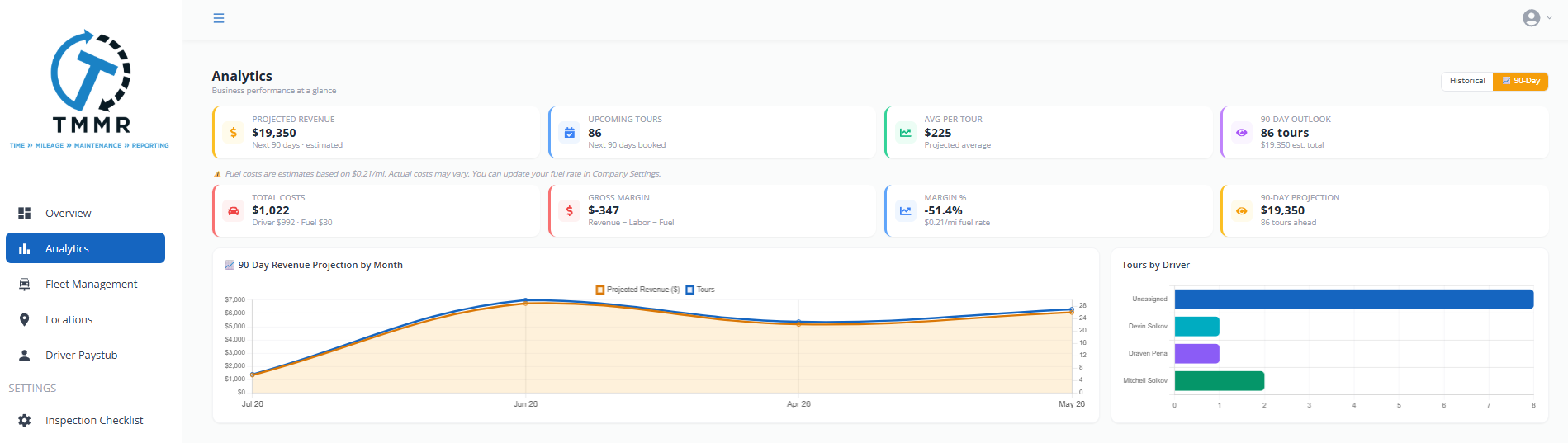
Track mileage per driver, per tour, and per vehicle. Tip breakdowns show exactly how much each driver earned on every trip.
Use these summaries for payroll, reimbursement calculations, and driver performance reviews.
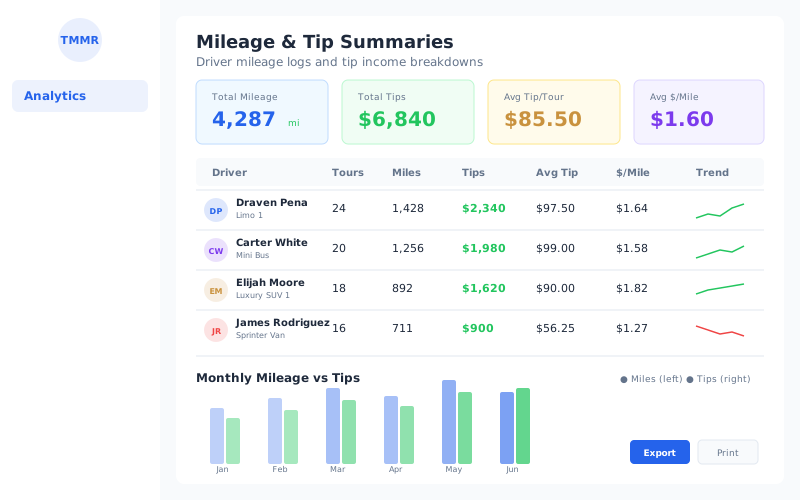
See total revenue, average revenue per tour, and revenue by tour type on a single dashboard. Filter by date range, driver, vehicle, or client to drill into the numbers that matter.
Spot trends quickly. Identify which tours bring in the most revenue and which ones need attention.
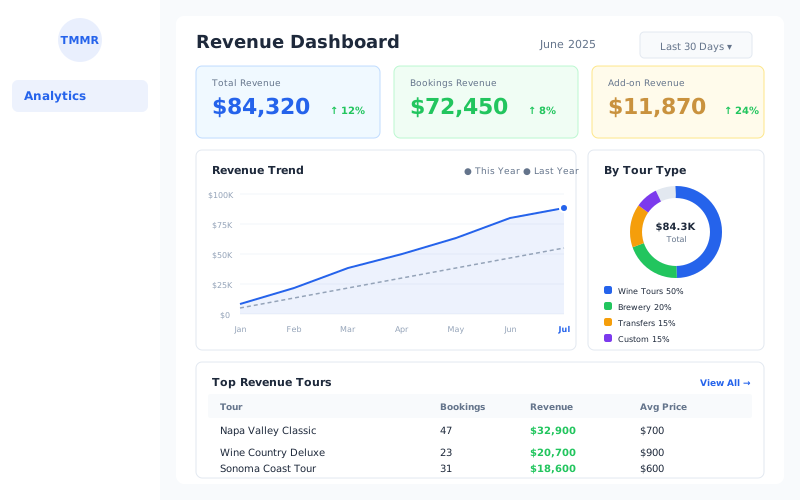
Calculate profitability for each tour by comparing revenue against driver costs, fuel, tolls, and other expenses. Know which tours actually make money and which ones just look busy.
Export any report to CSV or PDF with one click. Share with your accountant, partners, or keep for your own records.
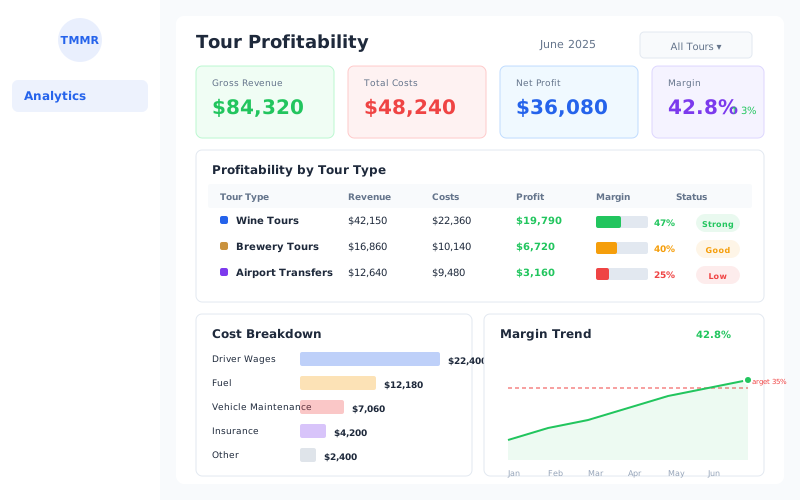
From raw tour data to actionable reports in three steps.
Tour Management Made Right automatically captures mileage, hours, guest counts, tips, and revenue as tours are completed. No manual data entry required.
Open your reporting dashboard to see revenue trends, driver performance, and per-tour profitability. Filter by any dimension.
Export reports to CSV or PDF. Use the data to adjust pricing, optimize routes, reward top drivers, or cut underperforming tours.
Wine country tourism follows seasonal patterns. Harvest season brings a surge. Winter slows things down. Tour Management Made Right helps you track seasonal trends, analyze peak harvest performance, and break down revenue per winery stop so you can plan staffing and pricing around the calendar instead of reacting to it.
| Capability | Manual | Tour Management Made Right |
|---|---|---|
| Tour reports | Drivers fill out forms after the fact | Auto-generated when the tour ends |
| Mileage tracking | Odometer readings on paper | Tracked automatically per tour |
| Tip breakdowns | Cash envelopes + guesswork | Per-driver, per-tour tip summaries |
| Revenue visibility | End-of-month spreadsheet review | Real-time revenue dashboards |
| Profitability per tour | Rarely calculated | Revenue minus costs, per tour |
| Data export | Copy-paste into spreadsheets | One-click CSV and PDF export |
Every completed tour produces a report with driver hours, mileage, guest count, revenue, and tips. You also get weekly and monthly summary reports.
Yes. Tour Management Made Right calculates per-tour profitability by comparing tour revenue against driver costs, fuel, tolls, and any logged expenses for that trip.
You can export any report to CSV or PDF with one click. CSV files are ready for import into accounting software or spreadsheets.
Yes. Filter by driver, vehicle, tour type, client, or date range on any dashboard or report view.
Mileage is captured automatically from route data for each tour. You can also enter manual odometer readings if needed.
No. Reports are generated from data already in Tour Management Made Right like bookings, routes, and driver assignments. There is no separate data entry step.
Yes. Date-range filters and trend charts let you compare performance across seasons, months, or any custom period you define.