TMMR release notes · 1.8.1
Choose what your guest sees, and thank them after the tour
November 2026
Hide any stop or price before you send an itinerary, send a thank-you with a link to your reviews, and see the balance after the deposit on every invoice. Guest change requests land in one thread, and per-mile estimates count every address. Plus 14 bug fixes. We're also introducing Sommelier, a new plan that adds QuickBooks, your own alerts, and your margin on every stop.
Choose what the guest sees
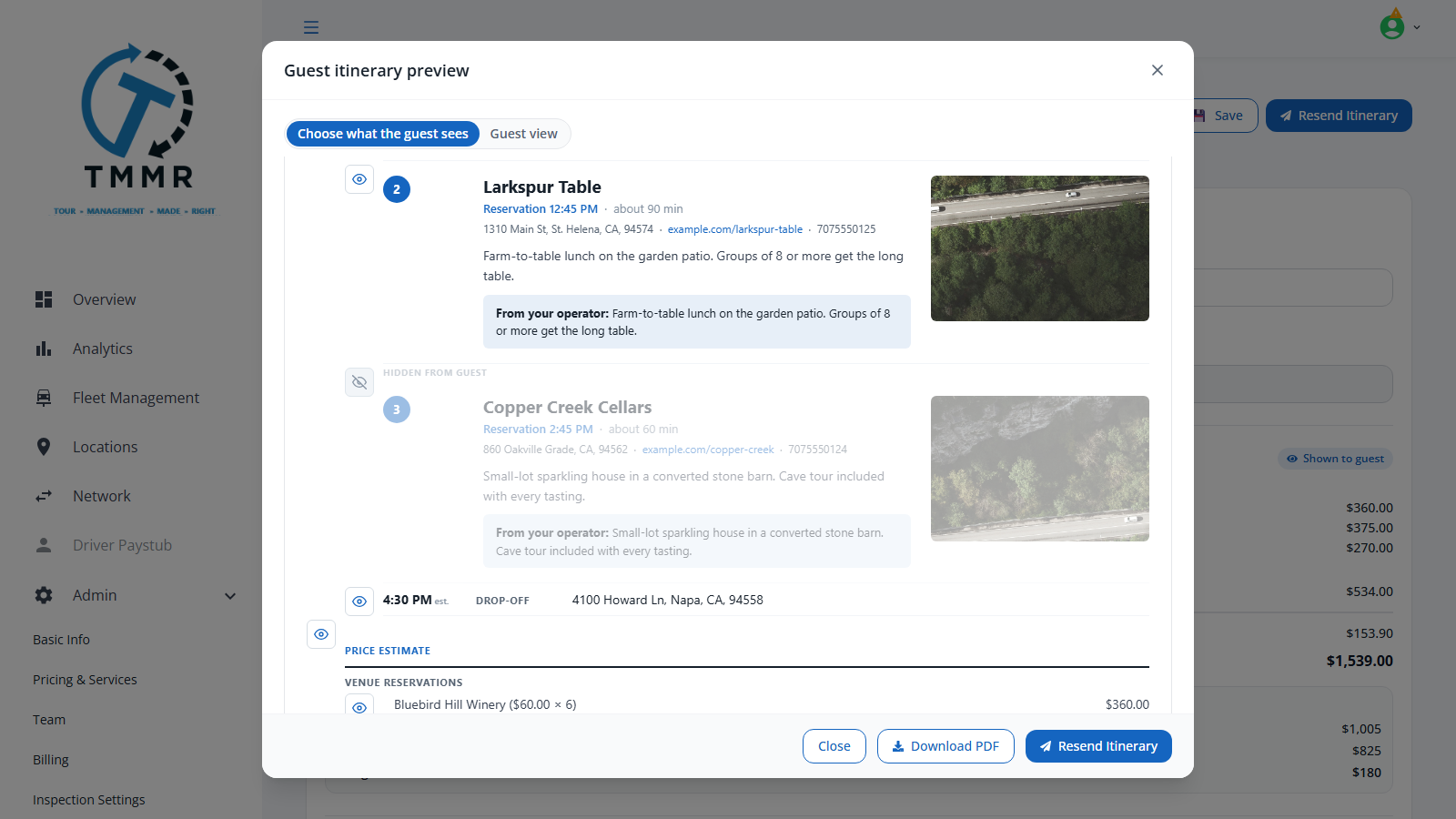
Hide any stop, line, or price before you send the itinerary.
- Click Preview in the Itinerary Builder, then click the eye next to anything you want to hide.
- Guest view shows exactly what the guest gets.
- Hidden items leave the guest page, the PDF, and the itinerary email. Your totals keep counting them.
- Send from the preview with Send for Review or Resend Itinerary.
Thank guests and ask for a review
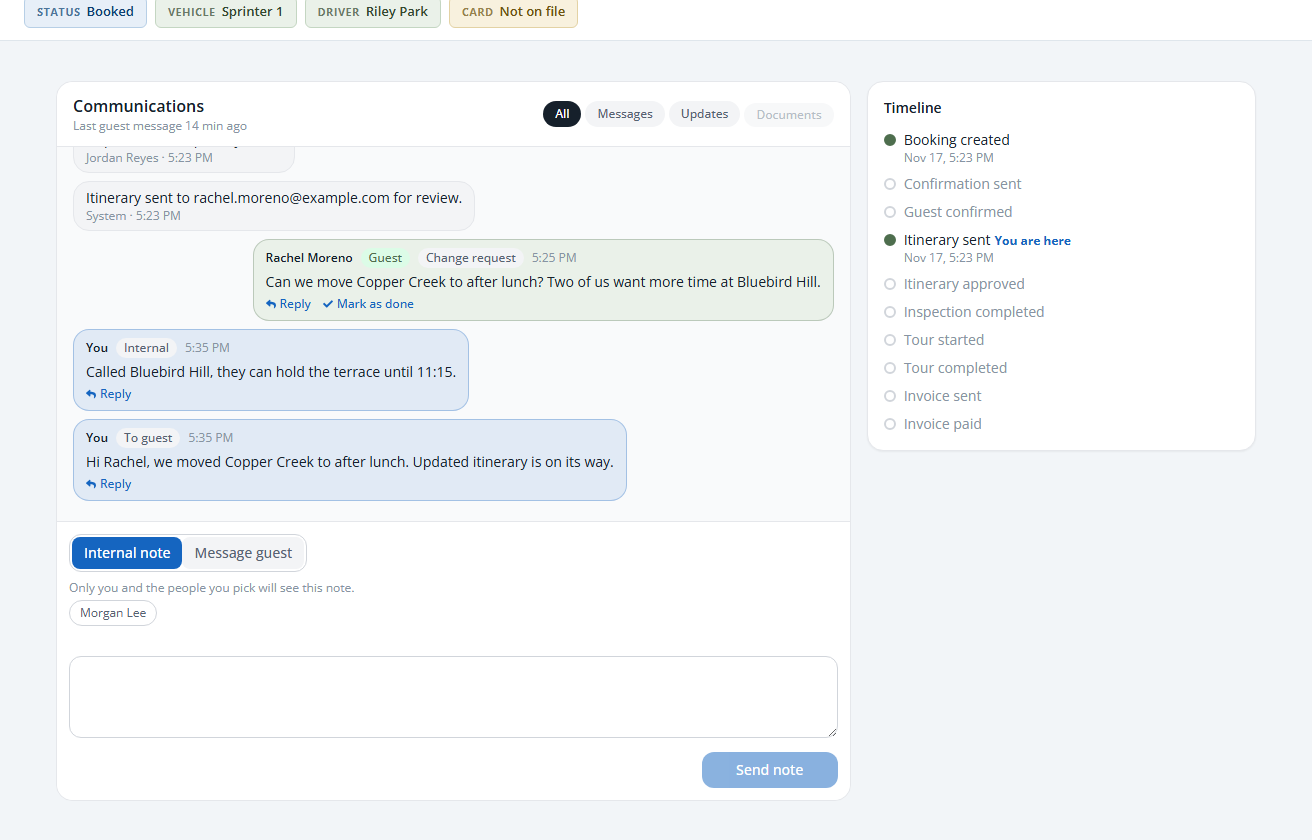
Send a thank-you after the tour with a button to your Google, Yelp, or Tripadvisor page.
- Open Follow Up Thank You Email on the booking. The message comes filled in. Edit it and click Send thank-you email.
- Add your review and social links in Company Profile → Basic Info → Reviews & Socials. The first one becomes the email's button.
- Turn on Auto-send thank-you email to send it when an invoice is marked paid. It starts off.
- On an unpaid invoice, TMMR asks before it sends.
Invoices that take the deposit off everywhere
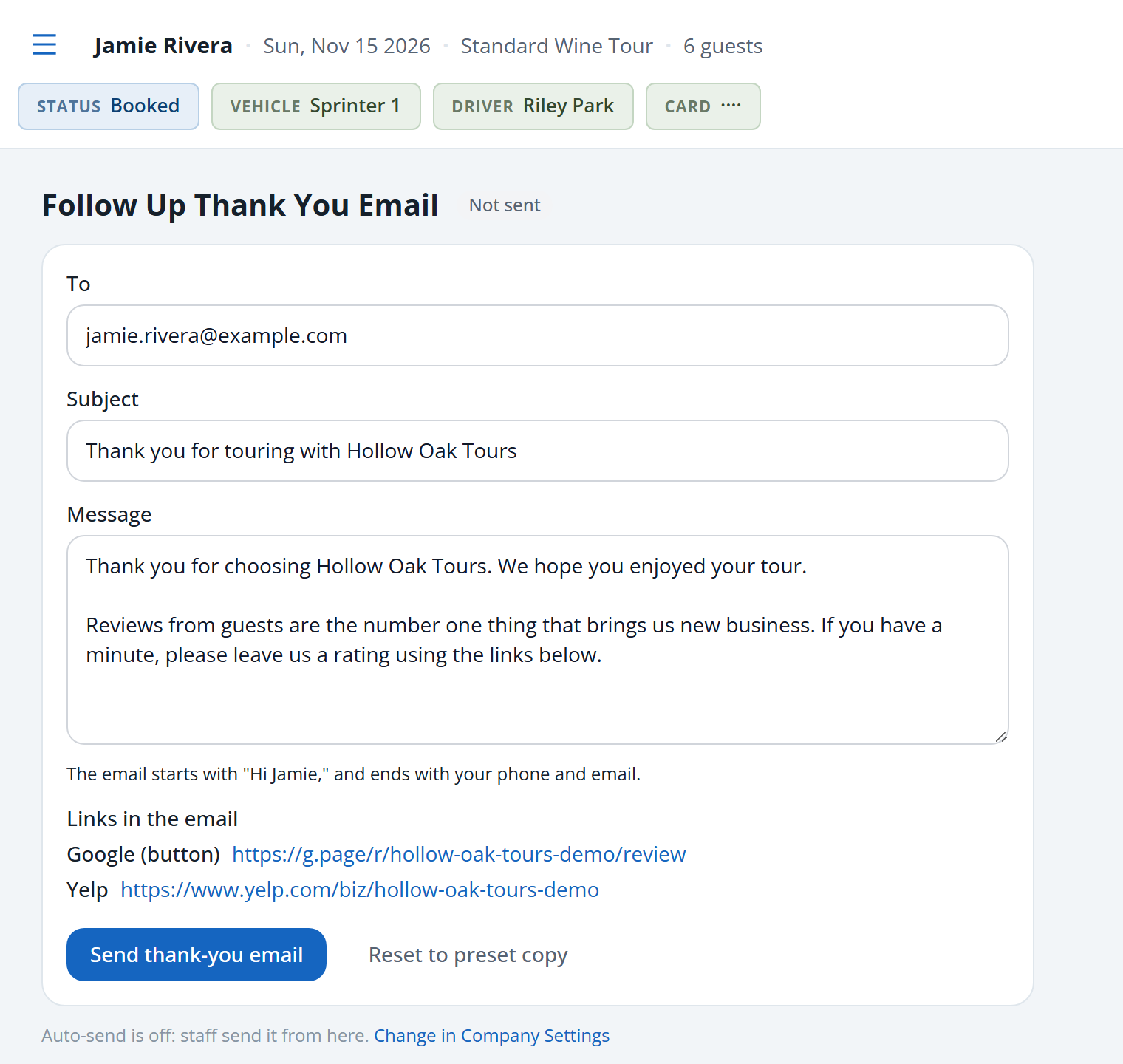
The invoice, the guest pay page, and the email all show the balance after the deposit.
- The invoice shows Invoice total, Deposit paid, and Balance Due. The guest pays the balance.
- Send invoice, Bill card on file, Mark as paid, and Send to QuickBooks sit in one row under the booking header. Each turns green when it is done.
- With a baked-in concierge fee, each venue line shows your cost, the fee, and the guest total. The guest sees one column.
- Invoice and receipt emails list transportation, venue reservations, and additional fees in the invoice's order.
- Email subjects read "Your invoice from" and "Your receipt from" with your company name.
Guest change requests in one thread
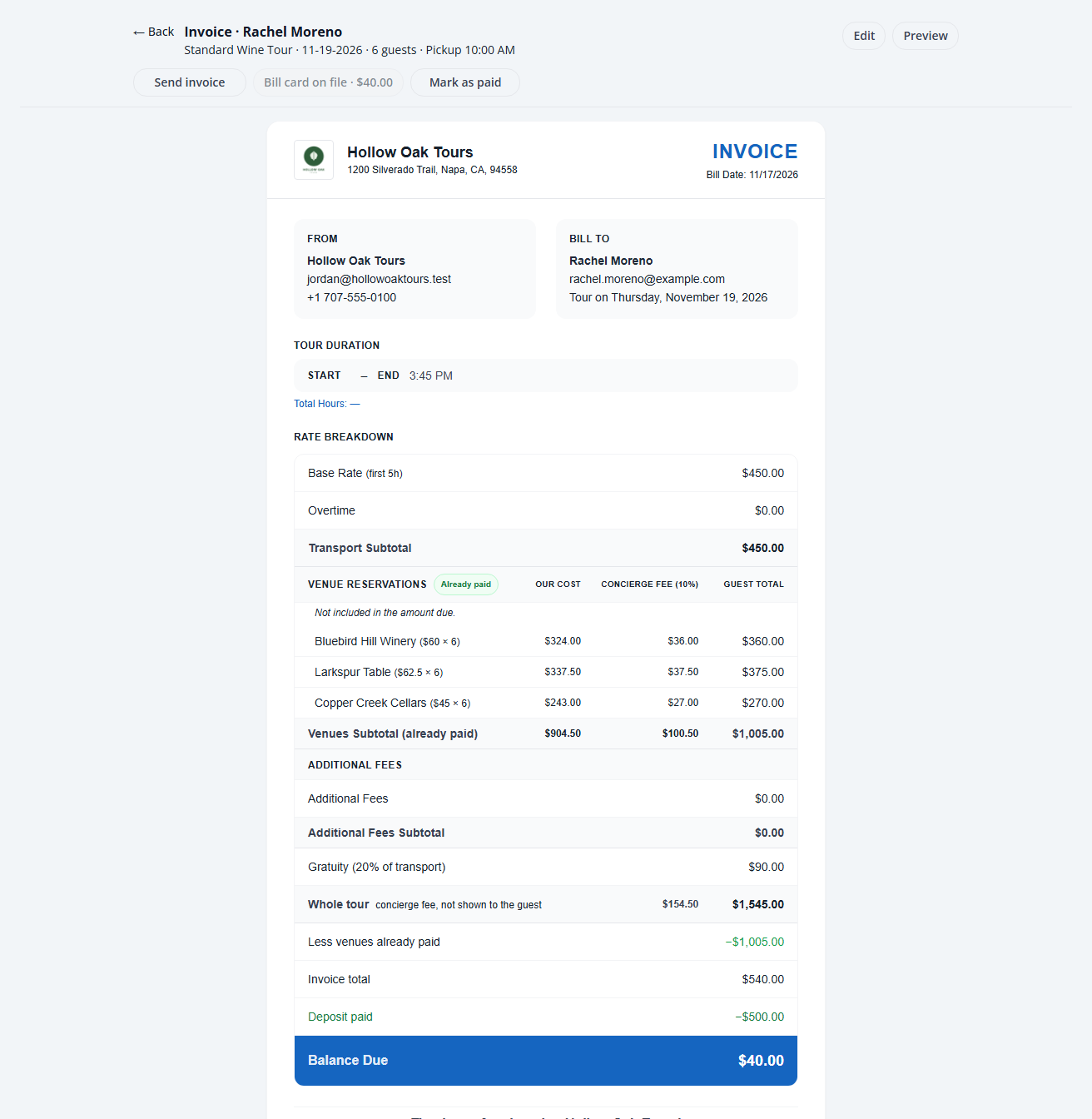
When a guest asks for a change, it lands in the booking's Communications and on your Overview.
- Guests click Request a Change on their itinerary or confirmation page. TMMR posts it with a Change request badge and emails your first active admin.
- Mark it done once you handle it.
- Communications reads like a chat: your notes and messages on the left, guest replies on the right in green.
- Guests reply from a link in the email, even when they have no itinerary link.
- Click the dot on an Overview row to open that booking's messages.
Per-mile estimates that count every address
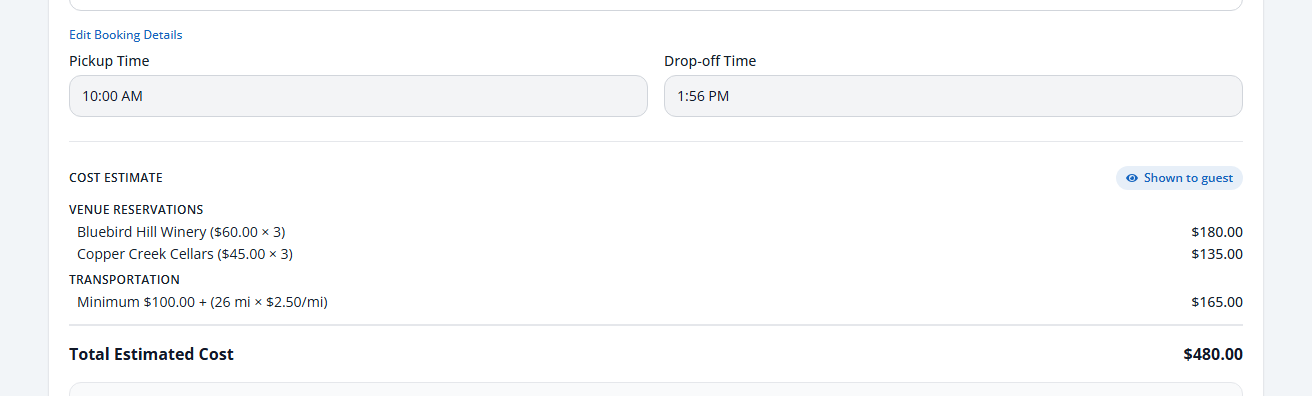
The estimate routes through every pickup and drop-off, and the invoice uses the same rule.
- Extra pickups and drop-offs count toward the miles, so multi-stop tours are priced right.
- The line shows the math, like Minimum $100.00 + (26 mi × $2.50/mi).
- The minimum covers the first miles. The invoice charges the mile rate only after them.
- The estimate uses Google Maps miles. The invoice uses odometer miles.
- Set your garage address in Company Profile so garage travel counts.
One default gratuity for your company
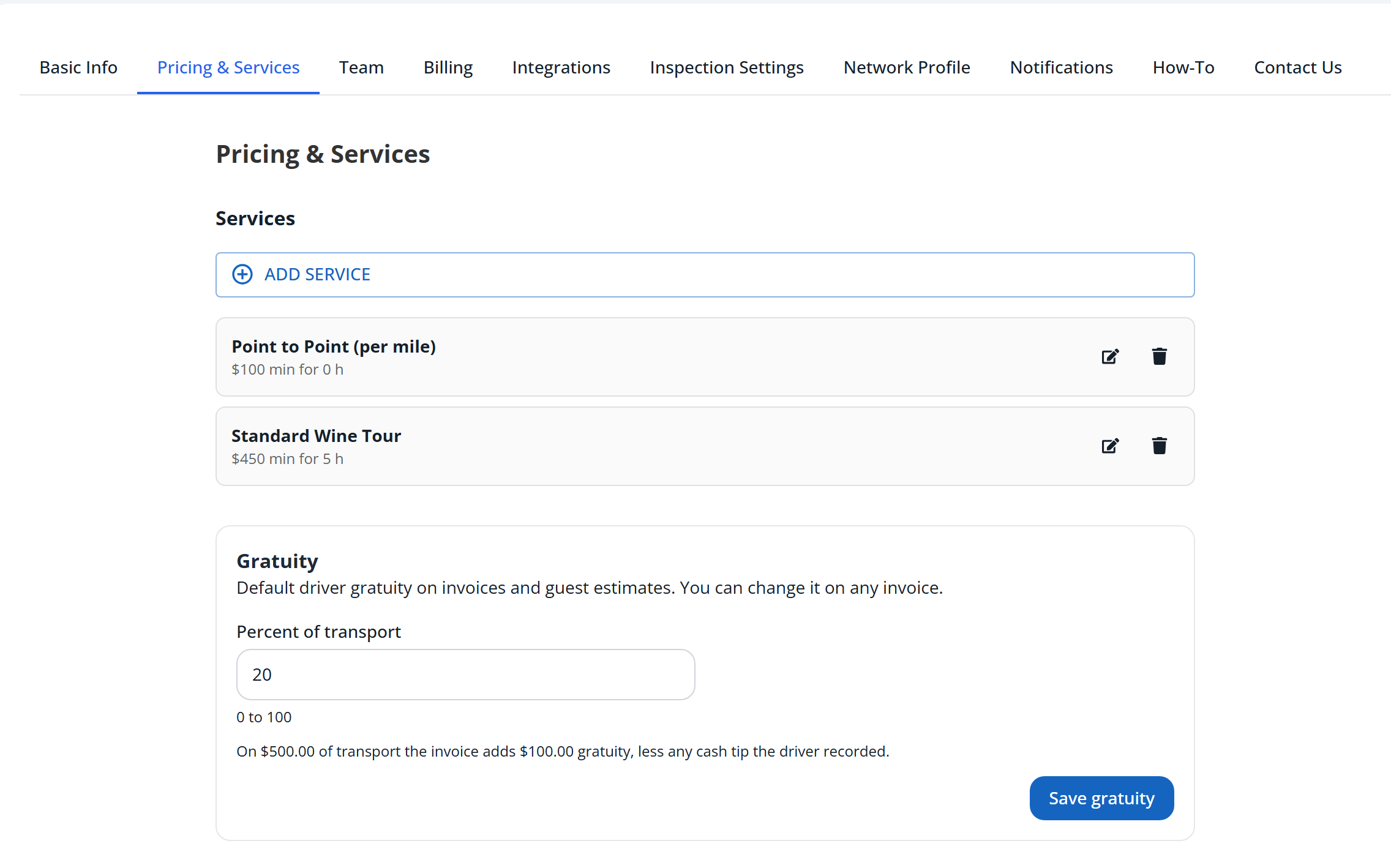
Set it once, and every invoice and estimate starts from it.
- Set a percent of transport in Admin → Pricing & Services. New companies start at 20%.
- Change it on any invoice. A cash tip from the driver's post-tour form comes off it.
- A 0% you choose stays 0%.
Screens that work the same everywhere
Tables, buttons, forms, and messages look and act the same on every screen.
- We cut or rewrote 210 lines of helper text, including some that pointed to settings TMMR does not have.
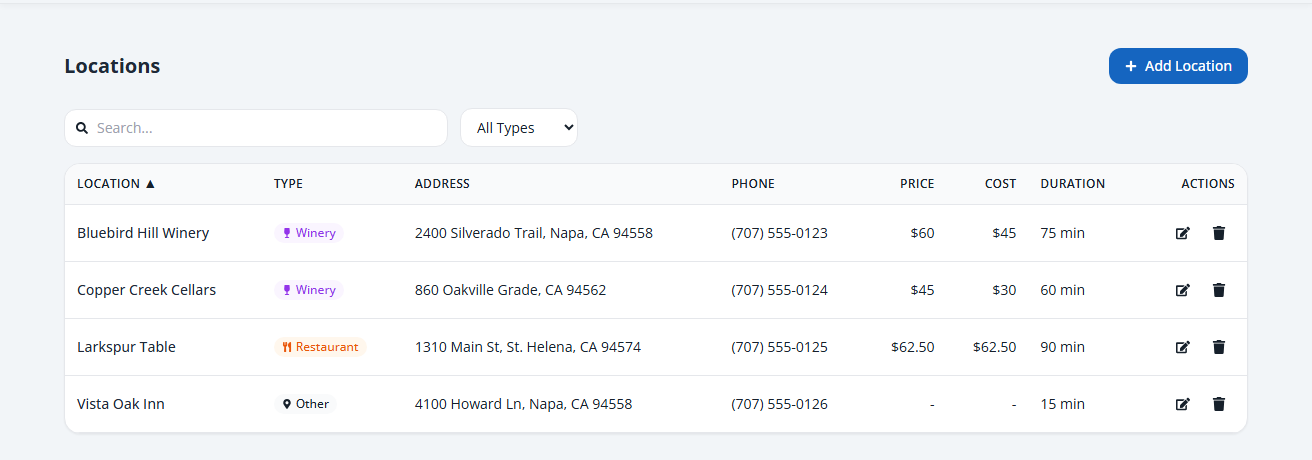
- Phone numbers use one format, like (555) 555-0123.
- The Locations table has its own Price, Cost, and Phone columns, and every column sorts.
- Money shows as $3,500, with cents only when there are cents.
Also introducing Sommelier
Send invoices and payments to QuickBooks
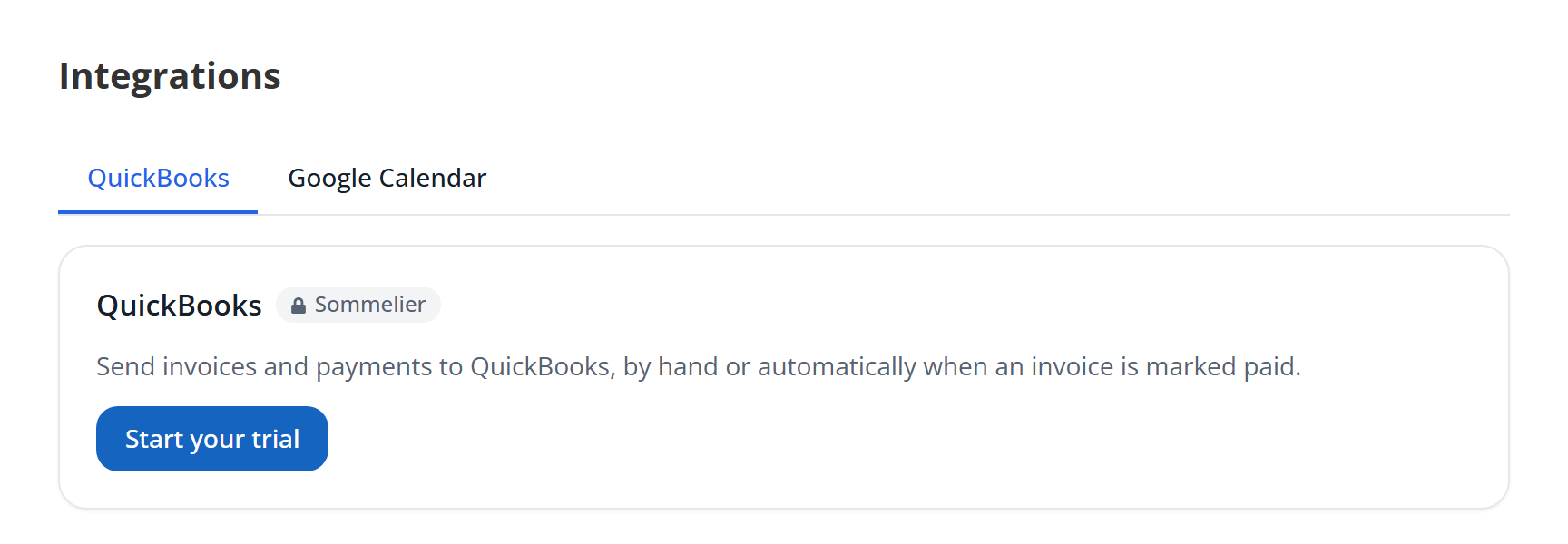
Your TMMR invoices and payments go to QuickBooks Online, so you enter them once.
- Click Send to QuickBooks on an invoice, or let TMMR send it when the invoice is marked paid.
- Connect QuickBooks on the new Integrations page in Admin.
- The direct connection replaces the QuickBooks CSV export.
Alerts on the tours that need you
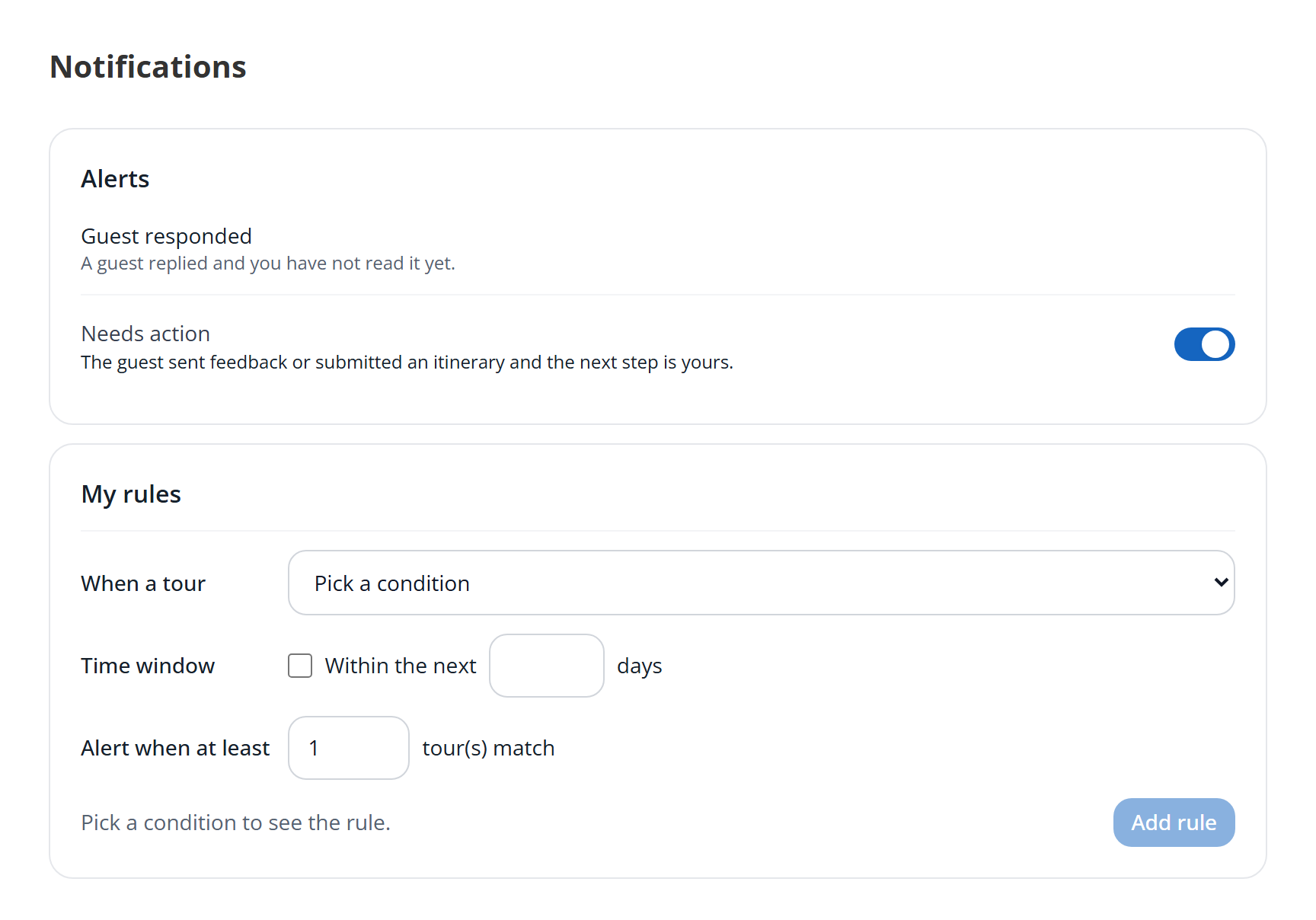
Set your own rules, and the Overview tells you which tours match them.
- Build a rule in Company Profile → Notifications, like a tour tomorrow with no driver. Each person picks their own rules.
- Alerts sit at the top of the Overview's Notifications panel. When one is waiting, the panel opens at sign-in.
- Each alert names the rule and the tour. Click Open to go to it.
- Your own rules come with Sommelier. The built-in Needs action alert is on every plan: it fires when a guest sent feedback or an itinerary and the next step is yours.
Itineraries that read like yours
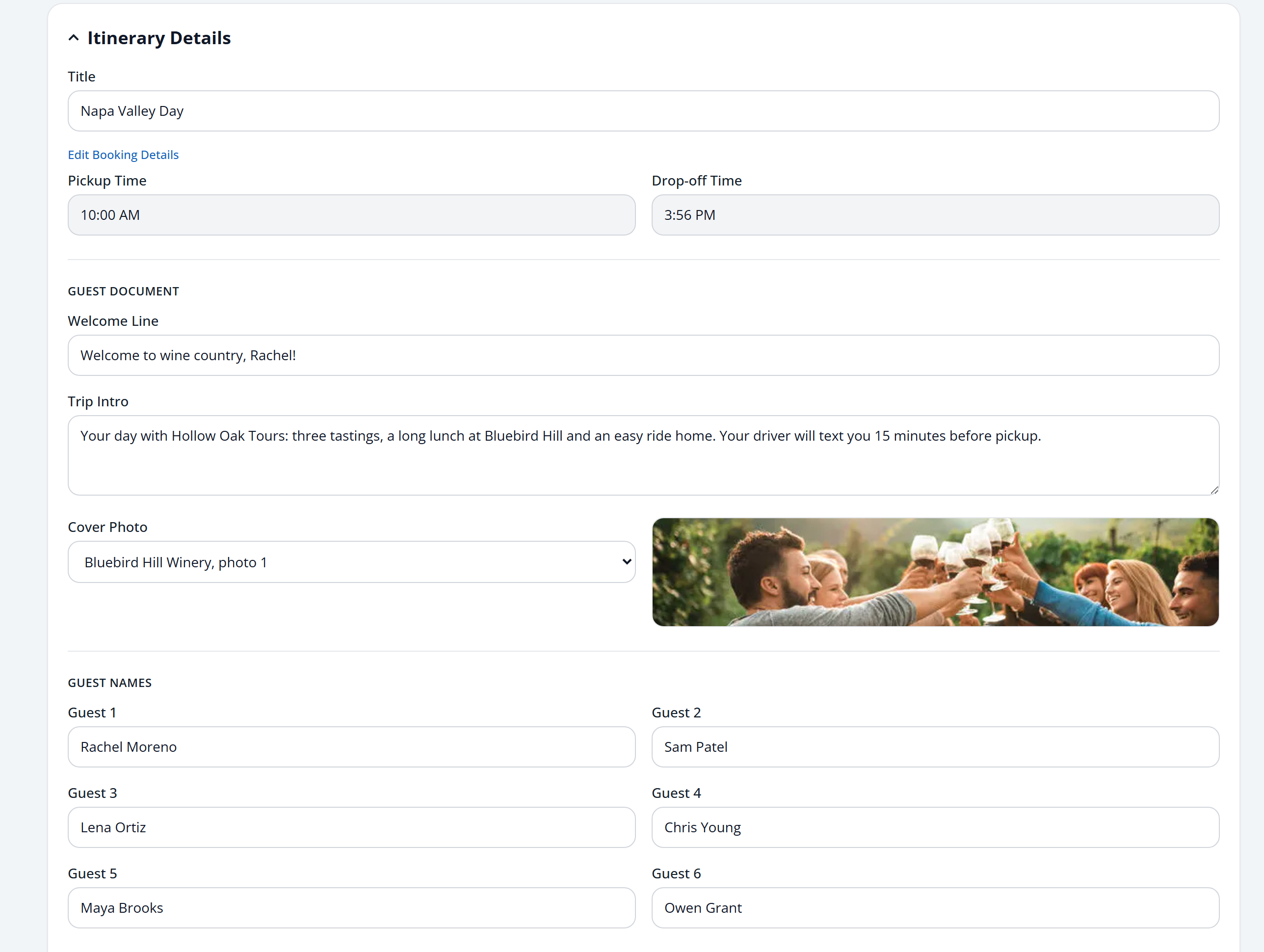
Add a welcome, a cover photo, and your guests' names to the itinerary they get.
- Add a welcome line, a trip intro, and a cover photo from the tour's location photos.
- Add each guest's name, and the names print on their itinerary.
- Give each day of a multi-day trip its own title.
- Give each stop its own name, category, and description for this tour, plus notes only your staff see.
- Mark a stop as not included, and the guest sees "Not included · pay on site".
- Saving an itinerary leaves your Locations library as it is. Click Save Changes to Library to update it.
Your margin on every stop
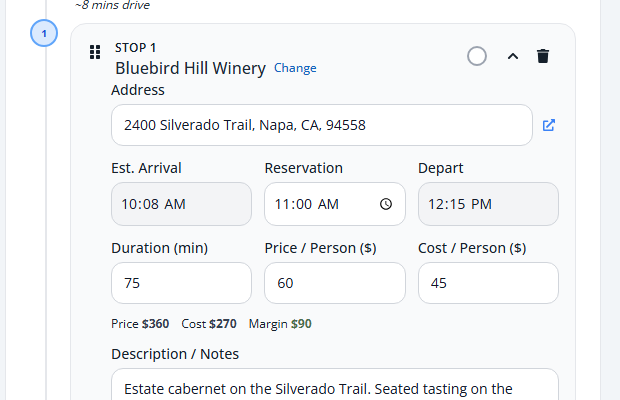
See what each venue costs you next to what you charge.
- Add a Cost/Person next to Price/Person on each location.
- Each stop card shows price, cost, and margin, like Price $360, Cost $270, Margin $90.
- Cost and margin stay in your office view. Guests never see them.
A concierge fee your way
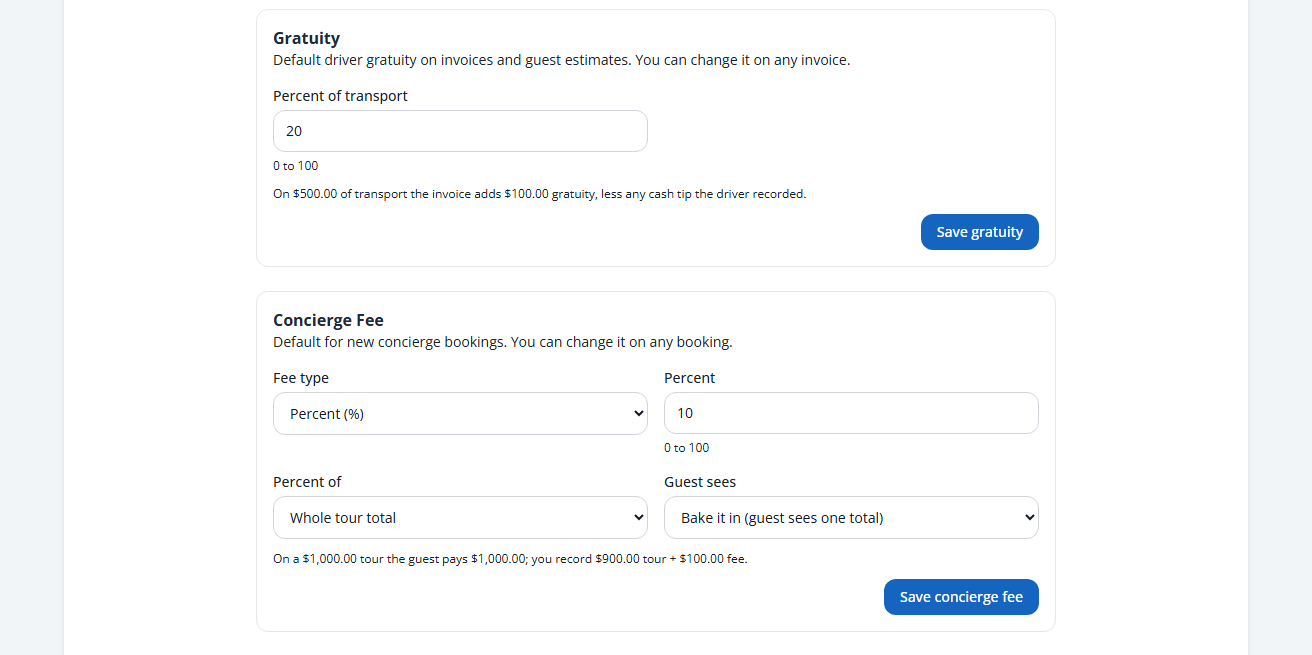
Charge a percent or a flat amount, and choose whether the guest sees it.
- Set a company default in Admin → Pricing & Services, and change it on any booking.
- Take a percent of the whole tour or of transportation only.
- Show the fee on its own line, or bake it in so the guest sees one total.
- When it is baked in, your invoice splits it out: $20,000 with 10% baked in is an $18,000 tour plus a $2,000 fee.
- Enthusiast keeps a flat dollar fee added on top.
14 bug fixes
| Where | What was wrong, and what changed |
|---|---|
| Invoice | The guest pay page charged the full total, even after a deposit. It now charges the balance due, the same amount the email shows. |
| Invoice emails | The concierge fee showed under Transportation, and the email did not match the invoice. The fee now sits under Additional Fees, and the email lists the same lines as the invoice. |
| Invoice | After a reload, a sent invoice showed Send invoice again. It now shows as sent. |
| Invoice | On per-mile services, the invoice charged every mile on top of the minimum. The minimum now covers the first miles, the same as the estimate. |
| Estimate | The per-mile estimate left out extra pickup and drop-off addresses, so those tours were priced low. It now counts every address. |
| Invoice | A gratuity of 0% turned into 20%. A 0% you choose now stays 0%. |
| Inspection | Inspection stayed locked until a booking had a driver and a vehicle, and the reason showed only on hover, which phones never show. It now opens once the booking is saved and says what is missing. |
| Guest emails | Guest and operator emails showed in a serif font. They now use the TMMR font. |
| Itinerary email | The button in the itinerary approved email opened the wrong page. It now opens the guest's review page. |
| Booking workspace | On narrow screens the menu had no way to close. It now has a close button and closes when you tap outside it. |
| Top bar | The top bar icons showed no tooltip on hover. They now do. |
| Overview | The active-filter note showed raw values like action_needed. It now shows the filter's labels. |
| QuickBooks, Communications | A broken separator character showed in the QuickBooks panel and the message thread. It now shows correctly. |
| Booking workspace, Itinerary Builder | The Add vehicle and Add pickup dialog buttons sat on the left. They now sit on the right like every other dialog. |